
Voice Note Keeper Mobile App Privacy Policy
Last updated: 22 July 2026
Voice Note Keeper (“the App”, “we”, “our”, or “us”) respects your privacy and is committed to protecting your personal information.
Voice Note Keeper respects your privacy and is committed to protecting your personal information. This Privacy Policy explains what information the app may collect, how it is used, when it may be shared with third parties, and what choices you have regarding your data.
This Privacy Policy applies specifically to the Voice Note Keeper mobile application.
1. What Voice Note Keeper Does
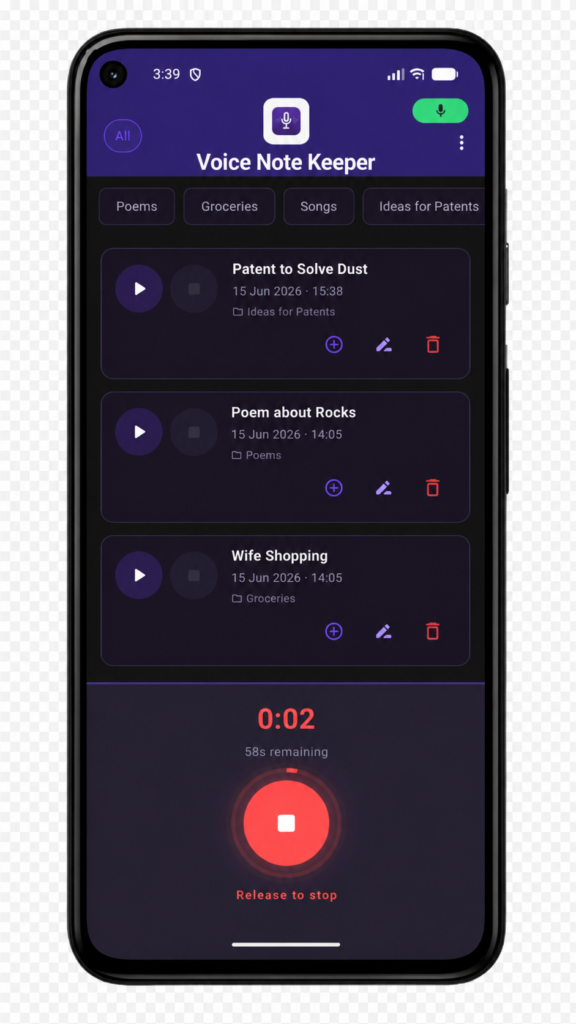
Voice Note Keeper is a mobile application that helps users:
- record voice notes using the device microphone
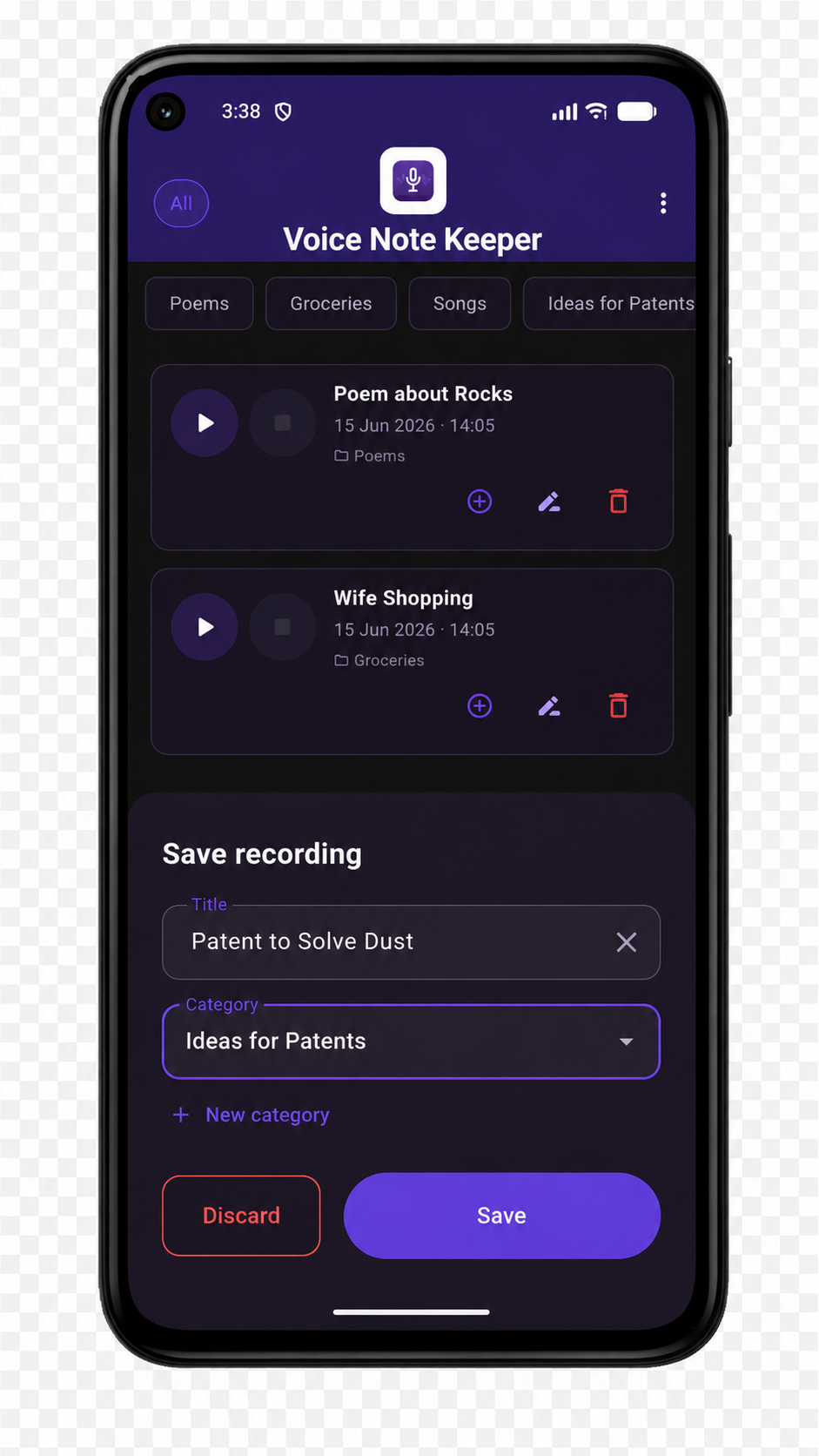
- organise voice recordings using custom categories
- play back recordings through the loudspeaker or earpiece with adjustable playback speed
- manage recordings through trash, restore, and permanent delete features
- add follow-up recordings to existing notes using the append feature
- transcribe voice notes to text using an on-device AI model (Whisper)
- search recordings by title or transcript text
- optionally back up and restore recordings to Google Drive
Voice Note Keeper is designed to be a fast, private, and primarily local voice note tool. All recordings and data remain on your device at all times unless you explicitly enable the optional Google Drive backup feature.
2. Information We Collect
2.1 Voice Recordings
The app records audio using your device microphone and stores recordings as audio files in your device’s local storage. These files never leave your device unless you explicitly share them or enable the optional Google Drive backup feature.
2.2 App Preferences and Settings
The app stores the following information locally on your device using Android’s SharedPreferences system:
- category names you create
- category assignments for your recordings
- the display order of category filter chips
- your preferred recording sort order
- playback speed preference
- transcription language preference
- auto-transcribe on/off setting
- a lifetime recording counter used as a usage indicator
- a flag recording whether an optional in-app support purchase was completed
- an onboarding completion flag on first use
- the timestamp of the most recent Google Drive backup (if backup has been used)
None of this information is transmitted to any external system, except where Google Drive backup is enabled — see Section 2.4.
2.3 Microphone Access
The app requires access to your device microphone solely for recording voice notes. The app does not record audio in the background, does not transmit audio data over the internet, and does not process audio for any purpose other than saving it locally as a file you control.
2.4 Google Account and Google Drive Updated
Voice Note Keeper offers an optional Google Drive backup feature. If you choose to enable it:
- You will be asked to sign in with a Google account via Google Sign-In.
- The app requests access only to its own private, app-specific folder within Google Drive, using the
drive.appdatascope. This folder is invisible in your normal Google Drive browser and cannot be accessed by other apps or other people. - Your voice recordings (
.m4a) and transcripts (.txt) are compressed into a single backup file and uploaded to this private folder. - Your Google account email address is displayed in the app’s Settings screen while signed in.
- The app does not access, read, modify, or delete any other files or folders in your Google Drive.
- If you sign out, the app immediately removes its reference to your account. Your backup file remains in Google Drive’s appdata folder until you delete it via your Google account settings or uninstall the app.
This feature is entirely optional. The app’s core recording, playback, organisation, and transcription features work fully without signing in to Google.
2.5 Transcription Data New
If you use the transcription feature, the app downloads an AI speech recognition model (OpenAI Whisper, approximately 245 MB) and stores it locally on your device. All speech-to-text processing runs entirely on-device. Your audio is never transmitted to any external server for transcription.
Transcription results are saved as text sidecar files alongside your recordings, stored entirely on your device. These files are included in Google Drive backups if you have enabled that feature.
2.6 Audio Settings
The app requests permission to modify audio settings on your device in order to support earpiece routing during playback. This permission is used solely to switch audio output between the loudspeaker and earpiece.
3. How We Use Information
Voice Note Keeper uses locally stored information for the following purposes:
- to save and play back your voice recordings
- to allow you to organise recordings using categories
- to remember your preferences between sessions
- to support the append recording feature and linked playback
- to transcribe recordings to text using the on-device Whisper model
- to enable search across recording titles and transcript text
- to back up and restore recordings using Google Drive (only when you have enabled this feature)
- to display your lifetime recording count as a usage indicator
- to process a one-time in-app unlock purchase through Google Play (required to record beyond the 25 free recordings)
We do not use your information for advertising, profiling, or any purpose beyond making the app function as described.
4. In-App Purchase
Voice Note Keeper includes 25 free recordings. To record beyond this limit, a one-time in-app purchase is required, processed through Google Play Billing.:
- payment processing is handled entirely by Google Play
- we do not receive, store, or process your payment details
- the app stores a local flag confirming the purchase was completed so that the support prompt does not reappear
- no personal financial data is stored by the app
We recommend reviewing Google’s Privacy Policy for information about how payment data is handled.
5. Local Storage on Your Device
All data created by Voice Note Keeper is stored on your device. This includes:
- audio recording files (
.m4a) saved to your device’s application documents directory - transcript text files (
.txt) saved alongside recordings if you have used the transcription feature - app preferences and category data stored using Android’s SharedPreferences system
- the Whisper AI model file (if downloaded for transcription)
- a trash folder containing recordings you have moved to trash but not yet permanently deleted
Data stored by the app remains on your device until you permanently delete it through the app or uninstall the app, except where you have chosen to back it up to Google Drive.
6. Cloud Storage and Backend Services
Voice Note Keeper offers an optional Google Drive backup feature. When enabled, your recordings and transcripts are uploaded to a private, app-specific folder in your own Google Drive account (appDataFolder). This folder:
- is private to the app and invisible in the standard Google Drive browser interface
- cannot be accessed by other apps or shared with other people
- is tied to your Google account and survives app reinstallation, enabling restore after a device change
Data stored in Google Drive is governed by Google’s Privacy Policy.
Apart from this optional feature, Voice Note Keeper does not use any cloud storage, backend database, or remote server. There is no mandatory account system and no data leaves your device unless you explicitly enable the Google Drive backup feature.
7. Third-Party Services
Voice Note Keeper uses or may use the following third-party services:
- Google Play Billing — used to process the one-time in-app unlock purchase required to record beyond the free tier. Payment handling is managed entirely by Google.
- Google Play Services — present on Android devices as part of the standard platform.
- Google Sign-In — used to authenticate with your Google account for the optional Drive backup feature. Only accessed when you initiate sign-in.
- Google Drive API (appdata scope) — used to store and retrieve the backup file in your account’s private app data folder. Only accessed when you initiate a backup or restore.
- Whisper (OpenAI) — the speech recognition model file is downloaded from a third-party host and stored locally on your device. All transcription processing occurs entirely on-device. No audio or transcript data is transmitted to OpenAI or any other service.
We recommend reviewing the privacy policies of these providers where relevant.
8. Sharing of Information
We do not sell personal data.
We do not share your recordings, transcripts, categories, preferences, or any other app data with third parties.
The only external interactions the app makes are:
- through Google Play Billing when a user completes the in-app unlock purchase
- through Google Sign-In and the Google Drive API when a user voluntarily enables the backup feature
Both interactions are initiated only by your explicit action and are governed by Google’s own privacy policy and terms.
9. Ads
Voice Note Keeper does not display any third-party advertising inside the app.
10. Data Retention
All data is stored locally on your device and you control how long it is retained:
- recordings in your main list remain until you move them to Trash
- recordings in Trash remain until you restore or permanently delete them
- emptying Trash permanently removes all trashed recordings from your device
- transcript text files are removed automatically when the associated recording is deleted or when you transcribe again
- the Whisper model file remains on your device until you delete it via Settings or uninstall the app
- uninstalling the app removes all locally stored app data from your device
If you have used the Google Drive backup feature, your backup file remains in Google Drive’s appdata folder until you delete it via your Google account settings or until the app deletes it as part of a subsequent backup operation.
11. Security
Because Voice Note Keeper stores all data locally on your device, the security of your recordings and preferences is subject to the security of your device itself. We recommend using a screen lock and keeping your device software up to date.
If you use the optional Google Drive backup feature, your backup data is protected by Google’s own security infrastructure and your Google account credentials. We recommend enabling two-factor authentication on your Google account for additional protection.
12. Children’s Privacy
Voice Note Keeper is not designed specifically for children and does not knowingly collect personal information from children in a manner that would require separate child-directed treatment under applicable law.
If you believe a child has used the app in a way that raises a privacy concern, please contact us using the details in Section 16.
13. Permissions Summary
The app requests the following Android permissions:
| Permission | Purpose |
|---|---|
| RECORD_AUDIO | Recording voice notes using the device microphone |
| MODIFY_AUDIO_SETTINGS | Switching audio output between loudspeaker and earpiece during playback |
| INTERNET | Google Sign-In authentication and Google Drive backup/restore. Only used when the optional backup feature is actively in use. Also used for the initial Whisper model download. |
| WAKE_LOCK | Prevents the screen from sleeping during transcription to ensure the process completes without interruption |
| com.android.vending.BILLING | Processing the optional in-app support purchase through Google Play |
14. Your ChoicesAs a user of Voice Note Keeper you may:
contact us with any privacy-related questions
record, rename, organise, and permanently delete your own recordings at any time
create, rename, and delete categories
restore or permanently delete recordings from Trash
enable or disable auto-transcription in Settings
download or delete the Whisper transcription model in Settings
connect or disconnect your Google account for Drive backup at any time in Settings
delete your Google Drive backup data by visiting myaccount.google.com/permissions and revoking access to Voice Note Keeper
revoke microphone permission through your device settings at any time (note: this will prevent recording)
uninstall the app to remove all locally stored data from your device
15. Changes to This Privacy Policy
We may update this Privacy Policy from time to time. If changes are made, the updated version will be posted at the active URL where this policy is hosted and the “Last updated” date will be revised.
Continued use of Voice Note Keeper after changes are posted may constitute acceptance of the updated Privacy Policy.
16. Contact
If you have questions about this Privacy Policy or the Voice Note Keeper app, you can contact:
Programmer.co.za
Website: https://www.programmer.co.za
Contact Form: https://www.programmer.co.za/contact/